

Welcome to the last of my 15 Essential Website Design Features, your website’s FAQ page is the secret to enhancing user experience and driving conversions. In a world where instant answers matter, it’s where your website’s FAQ page plays the role of informer! Get ready to unravel the art of creating crystal-clear FAQ pages that not only answer questions but also spark curiosity and engagement.
What is an FAQ Page?
A website FAQ page, short for Frequently Asked Questions page, is an essential component of any website, especially for e-commerce stores. It’s like having a digital customer service representative that anticipates and answers common questions your visitors might have. In the fast-paced digital world, customers often seek quick answers, and an FAQ page is your secret weapon to provide just that.
6 Reasons to Create an FAQ Page for an E-commerce Store
The FAQ Page Will Save You Time
Imagine this: You’re running an e-commerce store, and your inbox is flooded with repetitive questions about shipping, returns, and product specifications. An FAQ page can drastically reduce this repetitive back-and-forth, saving you and your team precious time. By addressing common queries upfront, you empower customers to find answers independently.
You Will Drive More Traffic to Your Store
Believe it or not, your FAQ page can be a magnet for organic traffic. When you craft your FAQ content with search-friendly keywords related to your products or services, search engines take notice. As a result, your website becomes more discoverable, attracting potential customers who are actively seeking solutions.
The FAQ Page Will Save You Time
Imagine this: You’re running an e-commerce store, and your inbox is flooded with repetitive questions about shipping, returns, and product specifications. An FAQ page can drastically reduce this repetitive back-and-forth, saving you and your team precious time. By addressing common queries upfront, you empower customers to find answers independently.
Your Conversion Rates Will Likely Grow
Think about it: A potential customer is browsing your website, and they stumble upon your FAQ page that directly addresses their concerns. This builds trust and confidence in your brand. When customers feel informed and understood, they’re more likely to make a purchase. An effective FAQ page can nudge hesitant visitors toward becoming loyal customers.
You Will Be Able to Identify the Main Customer Pain Points
A FAQ page isn’t just a one-way street of information delivery; it’s a valuable insight-gathering tool. By analyzing the types of questions customers frequently ask, you gain a deep understanding of their pain points and uncertainties. This knowledge empowers you to improve your products, services, and overall customer experience.
You’ll Be Able to Position Yourself as an Expert
In today’s self-reliant digital landscape, customers appreciate having the power to find answers independently. Your FAQ page serves as a self-service hub where they can troubleshoot issues and gather information at their convenience. This level of autonomy enhances the customer experience and sets a positive tone for their interaction with your brand.
Best Practices for Building an Effective FAQ Page
Collect the TOP Questions Your Customers Ask
Start by identifying the questions that your customers frequently ask. This could involve analyzing customer service inquiries, emails, or feedback forms. By pinpointing these common queries, you can address them proactively on your FAQ page.
Organize Questions into Categories
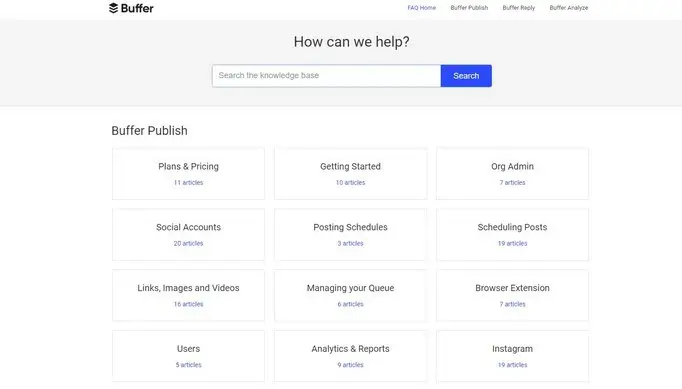
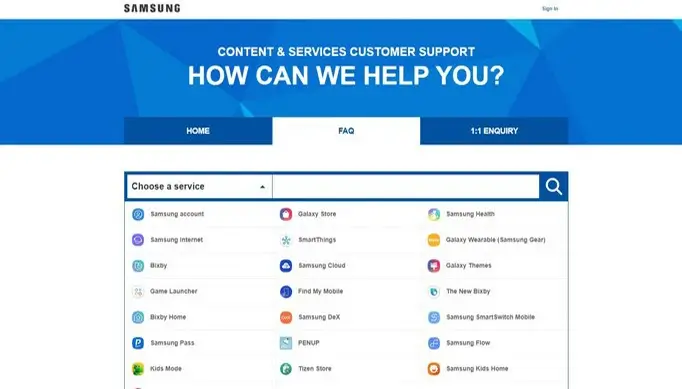
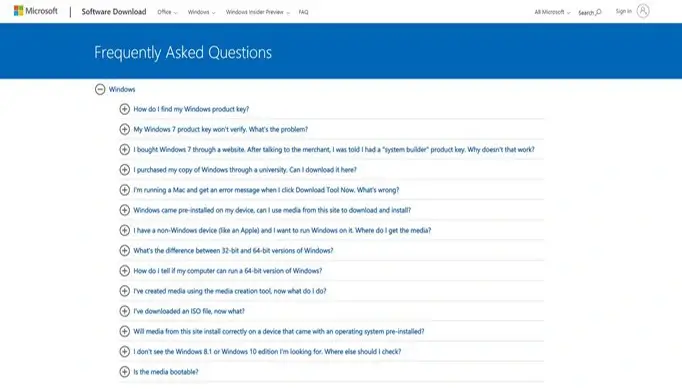
Divide your FAQ content into relevant categories to make navigation seamless. For instance, if you run a fashion e-commerce store, you could categorize questions under headings like “Sizing and Fit,” “Shipping and Returns,” and “Payment Methods.” This ensures that visitors quickly find the information they need. (Pro Tip: For larger FAQ pages, consider integrating a search bar to enhance user experience.)
Write from Your Customer’s Perspective
Answers must be in a language that your customers understand. Avoid jargon or technical terms that might confuse them. Keep your tone conversational and friendly, making visitors feel like they’re receiving advice from a knowledgeable friend.
Don’t Underestimate the Placement of Your FAQ Page
Your FAQ page should be easily accessible. Consider placing links to it prominently in your main menu or top navigation bar. Additionally, integrating links within product pages, the contact page, and even the footer ensures that customers encounter your FAQ content at various touchpoints.
Add Links to Relevant Blog Posts and Service Pages
Enhance the value of your FAQ page by linking to related blog posts and service pages. This not only provides additional context but also encourages visitors to explore more of your website. Cross-linking also has the added benefit of improving your website’s SEO.
Include a Clear CTA Within Each Question
Each question on your FAQ page is an opportunity to guide visitors toward a desired action. Whether it’s directing them to a product page, a helpful guide, or your contact form, including a clear Call to Action (CTA) can drive user engagement and conversions.
Make Your FAQ Page an Ongoing Project
An effective FAQ page is not a “set it and forget it” endeavour. Regularly update your content based on new customer queries, changing industry trends, and evolving products or services. This demonstrates your commitment to staying relevant and providing up-to-date information.
By implementing these best practices, you can create an FAQ page that goes beyond the mundane and becomes a strategic asset for your e-commerce store. Remember, the goal is not just to answer questions but to enhance the overall customer experience, build trust, and ultimately drive conversions. So, dive in and craft an FAQ page that leaves a lasting impression!
Frequently Asked Questions
We are always happy to help, if you can’t find the information you are looking for please don’t hesitate to reach out to us!
Did you find this article informative? Share it with your friends!
