

Spectra, designed with beginners in mind, seamlessly enhances the default WordPress block editor, offering unparalleled speed, stability, and security. With its native WordPress interface, it integrates effortlessly into your familiar editing environment, empowering you to craft stunning websites in record time. Featuring a vast library of over 100 pre-built templates, each just a click away, allowing you to unleash your creativity with complete design freedom. Whether you’re building blogs, portfolios, eCommerce sites, or catering to niche industries like health, fitness, or hospitality, Spectra’s unmatched performance ensures blazing-fast load times, impeccable SEO scores, and a frustration-free editing experience.
What is Spectra and What Can It Do?
Spectra page builder, at its core, is a dynamic WordPress page builder that has revolutionized the process of website creation. It transcends traditional constraints by offering a user-friendly, drag-and-drop interface and visual website-building features, that empowers users to design and customize their websites with unparalleled ease.
Spectra is a part of the Brainstorm Force stable, which includes Astra theme, Convert Pro, Schema Pro and is designed to build websites without coding. Currently sitting with over 600 000 active installations, it stands as a noteworthy contender in the huge pool of WordPress page builders and block plugins.
A Page Builder or Block Plugin?
One of the key distinctions of Spectra lies in its nature as both a page builder and a block plugin. Understanding this duality is essential for users seeking the right tool for their WordPress projects.
Spectra currently offers a long list of blocks and block extensions, a total of 49 to be exact. Each of these block options can be individually enabled and disabled, further adding to it’s customization spectrum.
When using the block editor, you will find these blocks grouped together under the Spectra Heading.

Key Benefits of Using Spectra Pro
Discover the efficiency of Spectra Pro as a WordPress page builder with these key advantages:
How Do I Enable Blocks Editor Spacing?
Is it for You or Not?
For You
Not For You
My Favourite Blocks
Your time is precious, and since going through all the block extensions would be time-consuming, I’ll explore my 9 favourites. These blocks are great because they provide numerous creative possibilities. I’m eager to tell you more about what makes these specific blocks stand out.
Price List Block
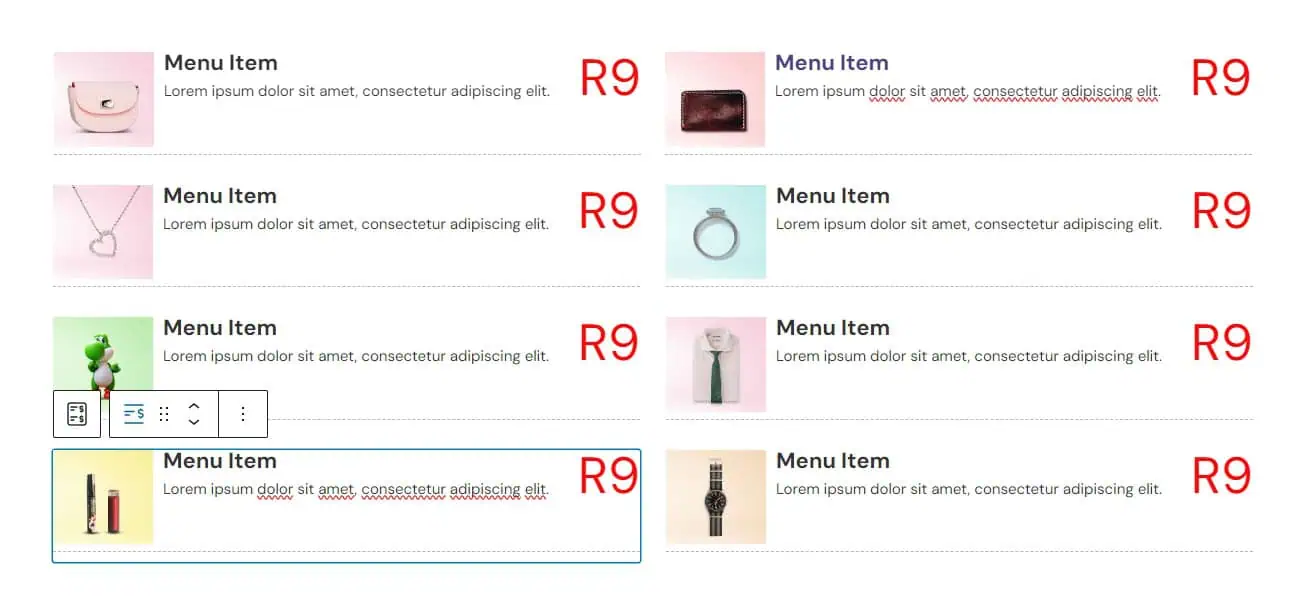
Effortlessly showcase your products with the Spectra Pricelist Block, offering concise customization options.
General Settings
Choose from a vast selection of hundreds of icons
Customize content alignment and layout with pre-set options
Add a link to each individual item
Style Settings
Personalize font colour and typography
Customize icon, background, and border colours
Tailor content typography and colour
Add margins and padding to your block
Apply the same settings to the Hover section for dynamic interactions
Advanced Settings:
Choose from 26 animations for the entire block or individual icons
Edit responsive conditions for optimal display
Utilize HTML anchor for seamless navigation
Container
The Container Block provides a diverse range of options to effortlessly tailor your section layout. Here’s a quick rundown of its key features:

Adjust Content Width & Height

Customise the Font Family, Weight and Size

‘Pixel Perfect’ Padding and margin controls

Content Spacing with one click

Customise Colours for all elements

Element Direction Control simplicity
General Settings
Adjust container width
Manipulate content width
Enable height stretch
Justify content within the container
Style Settings
Choose background options, from colours to videos
Define text colour with separate hover options
Select border style, width, radius, and colour
Utilize pre-set box shadows with customizable colour, size, blur, spread, and shadow type (inset/outset)
Apply various top and bottom shape dividers to suit your design
Fine-tune row and column gaps
Add padding and margin spaces for precise layout adjustments
Advanced Settings:
Incorporate animations to enhance visual appeal
Enable sticky functionality and explore additional advanced settings
Heading Block
Effortlessly enhance your visual content with the Image Block, offering streamlined features for optimal customization:
Xmas Stockings (H1)

Xmas Stockings (H2)
Xmas Stockings (H4)
Xmas Stockings (H5)
Xmas Stockings (H6)
Xmas Stockings (p)
General Settings
Align your heading as per your layout
Quickly select heading styles from H1 to Paragraph
Toggle subheading on or off
Choose from five separator styles
Style Settings
Personalize text colour, typography, and text shadow for your headings
Add a link with options for normal and hover colour
Incorporate highlights with padding preferences
Select border style, width, radius, and colour
Set a fixed background colour with transparency or a gradient
Adjust spacing, padding, and margin spaces for precise layout control
Include a customisable Icon
Advanced Settings:
Enhance your heading with animations
Make your heading sticky or explore additional advanced settings
Buttons
Easily create dynamic buttons with the Buttons Block, offering straightforward customization options:
General Settings
Choose from pre-set button designs or inherit the theme design
Enable an icon option for added visual appeal
Add a link to your button
Style Settings
Customize text colour using Hex, RGB, or HSL with transparency options
Tailor typography to your liking
Apply style settings for both normal and hover options
Advanced Settings:
Open in a new window
Add “no follow” to the link
Remove text from the button
Icon List Block
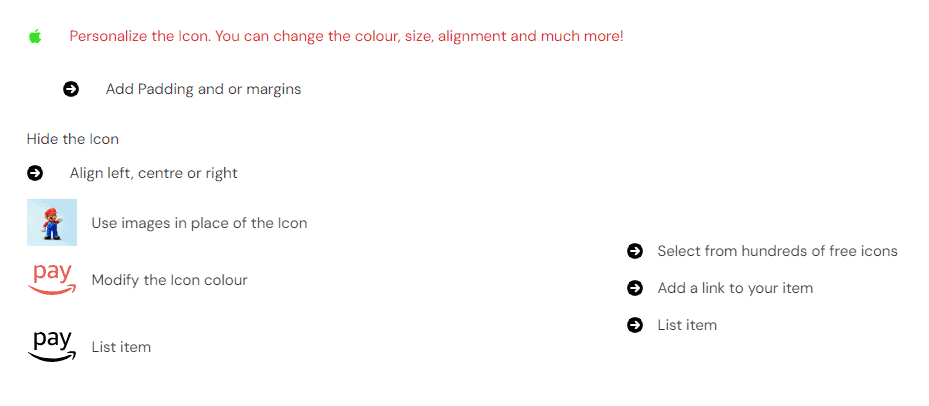
Efficiently create visually appealing icon lists tailored to your design preferences using the Spectra Icon List’s intuitive customization features.
General Settings
Choose from pre-set button designs or inherit the theme design
Enable an icon option for added visual appeal
Add a link to your button
Style Settings
Personalize font colour and typography
Customize icon, background, and border colours
Tailor content typography and colour
Add margins and padding to your block
Apply the same settings to the Hover section for dynamic interactions
Advanced Settings:
Choose from 26 animations for the entire block or individual icons
Edit responsive conditions for optimal display
Utilize HTML anchor for seamless navigation
Lottie Animation
Effortlessly integrate captivating Lottie animations into your content with the Spectra Lottie Animation block, enhancing your website’s visual appeal.
General Settings
Choose an image from your library or insert a URL
Trigger animation to start with Automatic, Hover, Click, or Viewport options
Adjust the animation speed
Choose loop playing option
Toggle between forward or reverse movement for dynamic animations
Style Settings
Customize background width and height
Set background colour for both normal and hover states individually
Advanced Settings:
Choose from 26 animations for the entire block or individual icons
Edit responsive conditions for optimal display
Utilize HTML anchor for seamless navigation
Content Timeline Block
Efficiently present your content in a visually engaging timeline format with the Content Timeline Block, customized to align seamlessly with your design preferences.

General Settings
Tailor the layout with options for orientation, text, and arrow alignment
Toggle date display on or off
Select a date format and adjust the heading tag
Choose from a vast selection of icons
Adjust icon size
Add a border for additional customization
Style Settings
Add padding for improved aesthetics
Define the gap size for the timeline marker and items
Infuse personality with background colour, and a plethora of colour and typography settings
Advanced Settings:
Choose from 26 animations for the entire block or individual items
Edit responsive conditions for optimal display
Implement HTML anchor for seamless navigation
Countdown Block
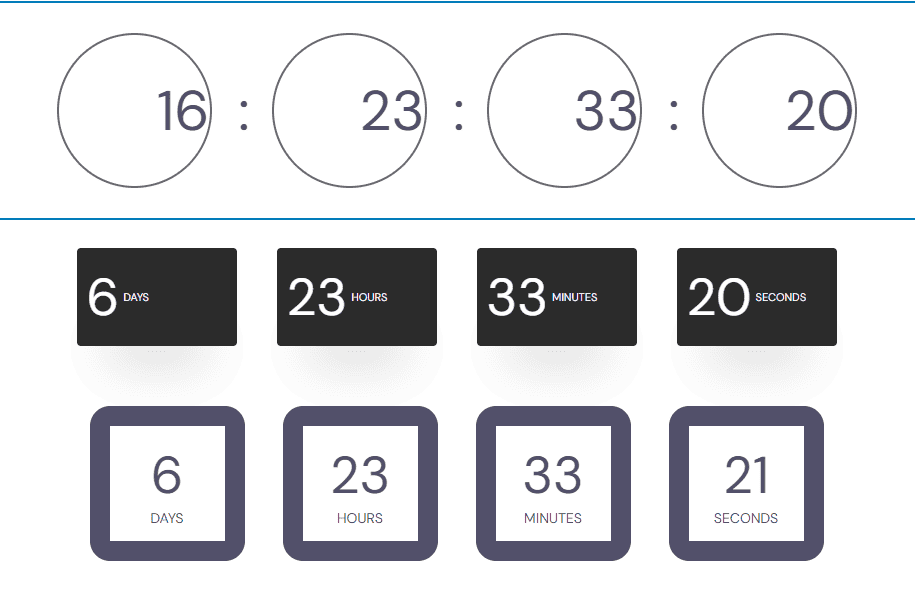
Efficiently integrate and customize countdown timers to build excitement for upcoming events or promotions using the Countdown Block’s intuitive settings
General Settings
Select the end date & time for the timer
Edit timer labels or hide them with one click
Choose from five preset timer styles
Style Settings
Align the countdown for a unique visual appeal
Opt for background options to make the timer stand out
Add a border for additional customization
Utilize spacing options to maintain a clean layout
Advanced Settings:
Choose from 26 animations for the entire block or individual elements
Edit responsive conditions for optimal display
Implement HTML anchor for seamless navigation
Testimonial Block
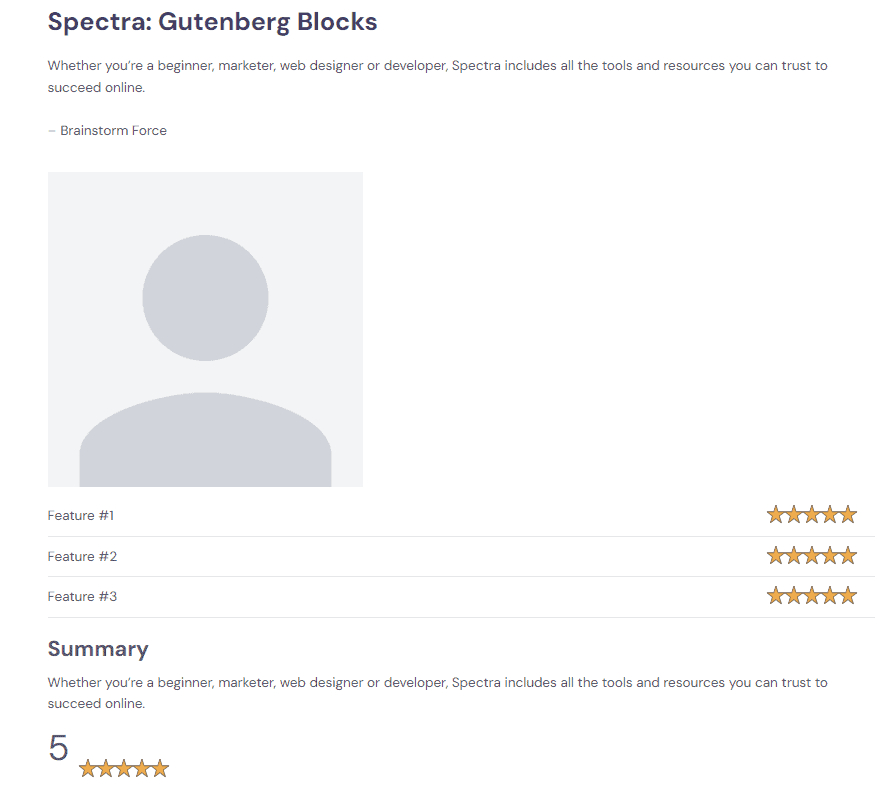
General Settings
Adjust heading tag for the review section
Select alignment for optimal presentation
Toggle options to enable or disable:
– Schema Support
– Review description
– Review author
– Up to three feature ratings
– Review Image
Add a link for further information
Style Settings
Personalize colour and typography settings for:
– Title
– Description
– Author
– Stars
Add padding for enhanced aesthetics
Advanced Settings:
Choose from 26 animations for the entire block or individual items
Edit responsive conditions for optimal display
Implement HTML anchor for seamless navigation
Installation and Setup
This is a video tutorial on how to install and setup your Spectra PRO
Overall, Spectra proves to be a powerful ally, combining the power of a page builder with the versatility of a block plugin. With intuitive design features, responsive design for any device, and an extensive library of blocks and extensions, Spectra enables users to create visually stunning websites without the need for extensive coding. Whether you are an experienced developer, an entrepreneur, or an aspiring web developer, the powerful features, speed optimization, and extensive theme library make Spectra Pro a great choice. It’s time to explore the wide range of website development options Spectra has to offer.
Compare Our Affordable Design Packages
Our design packages are priced to meet any budget.
Our Business and e-commerce website design packages includes a premium theme and plugins!
Starter Design
R3500
R350 PER ADDITIONAL PAGES
Want to add additional function to this package? Click here for a list functionalities available
Business Design
R6500
R350 PER ADDITIONAL PAGES
E-Commerce Design
R9000
R350 PER ADDITIONAL PAGES
You may also like these articles
Frequently Asked Questions
We are always happy to help, if you can’t find the information you are looking for please don’t hesitate to reach out to us!
Using a child theme is recommended if you plan to make customizations to your theme’s code. This ensures your changes aren’t overwritten when the parent theme is updated.
Yes, you can transfer your license key to another site. To do this, first, deactivate the license from your current site. Then, install the Spectra Pro on your new site and activate the license key there.
While we firmly believe in and stand behind our product, we understand that it may not work perfectly for everyone all the time. If you experience any problems or our product doesn’t meet your expectations, we’ll happily consider offering a 100% refund of your money.
Yes, certainly! Spectra Pro is in its beginning stage as of now, and we have exciting plans for adding many more blocks and customization options in the near future. Stay tuned for upcoming updates and enhancements!
No, Spectra Pro is not a subscription service. It’s a one-time purchase that allows lifetime use of its features. However, to continue receiving updates, new features and 1-1 support after the annual license expires, you’ll need to renew the license.
Yes, Spectra blocks are compatible with all themes and plugins. While Spectra is optimized to work exceptionally well with the Astra theme, we have ensured that they also function seamlessly with all major themes available in the WordPress ecosystem.
Astra theme licenses often require annual renewal to continue receiving updates, access to premium features, and support. Renewing your license ensures that your theme remains up-to-date and compatible with the latest WordPress versions.
Did you find this article informative? Share it with your friends!
